
Create IP Phone without a User
To create a IP Phone without any user navigate to “Device”->”Phones”. You will get a list of all phones in the system.

Click on “Create” to create a new Phone.
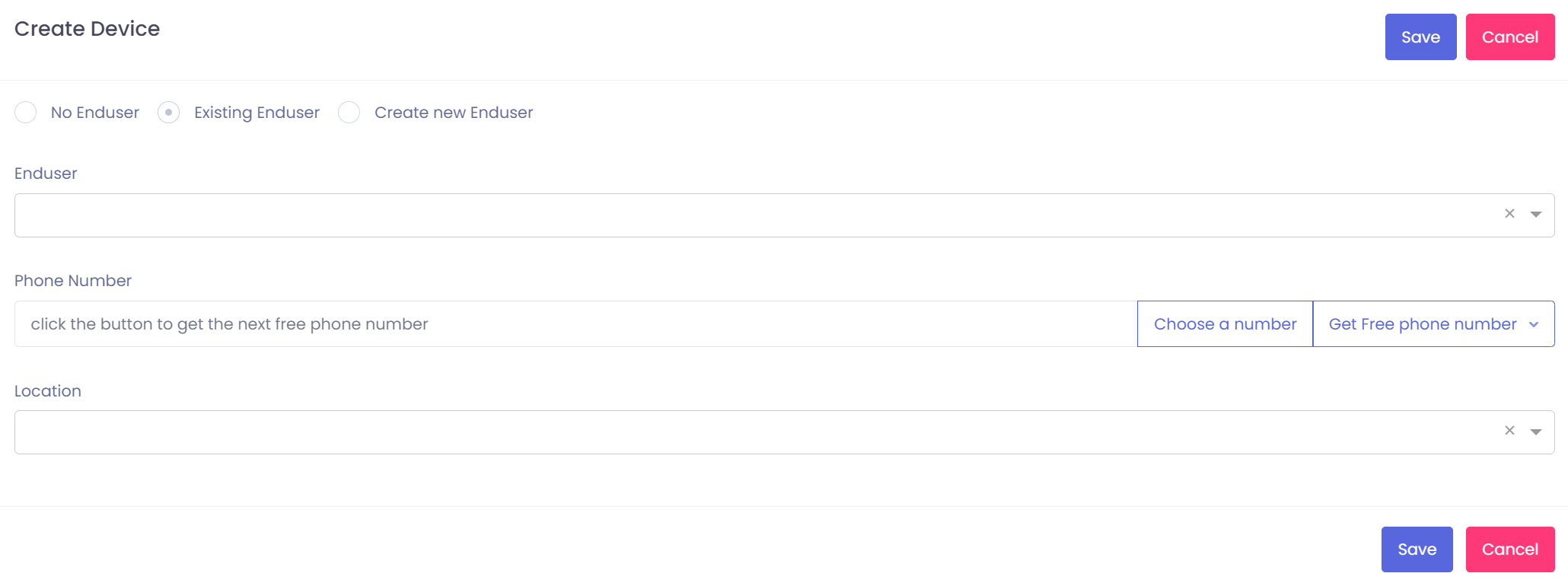
You will see a pop up where you can choose at the top for which option you want to create a phone. You can do it without an user, for an ecisting user or you can create a new local user for it. We use the Option “No Enduser”
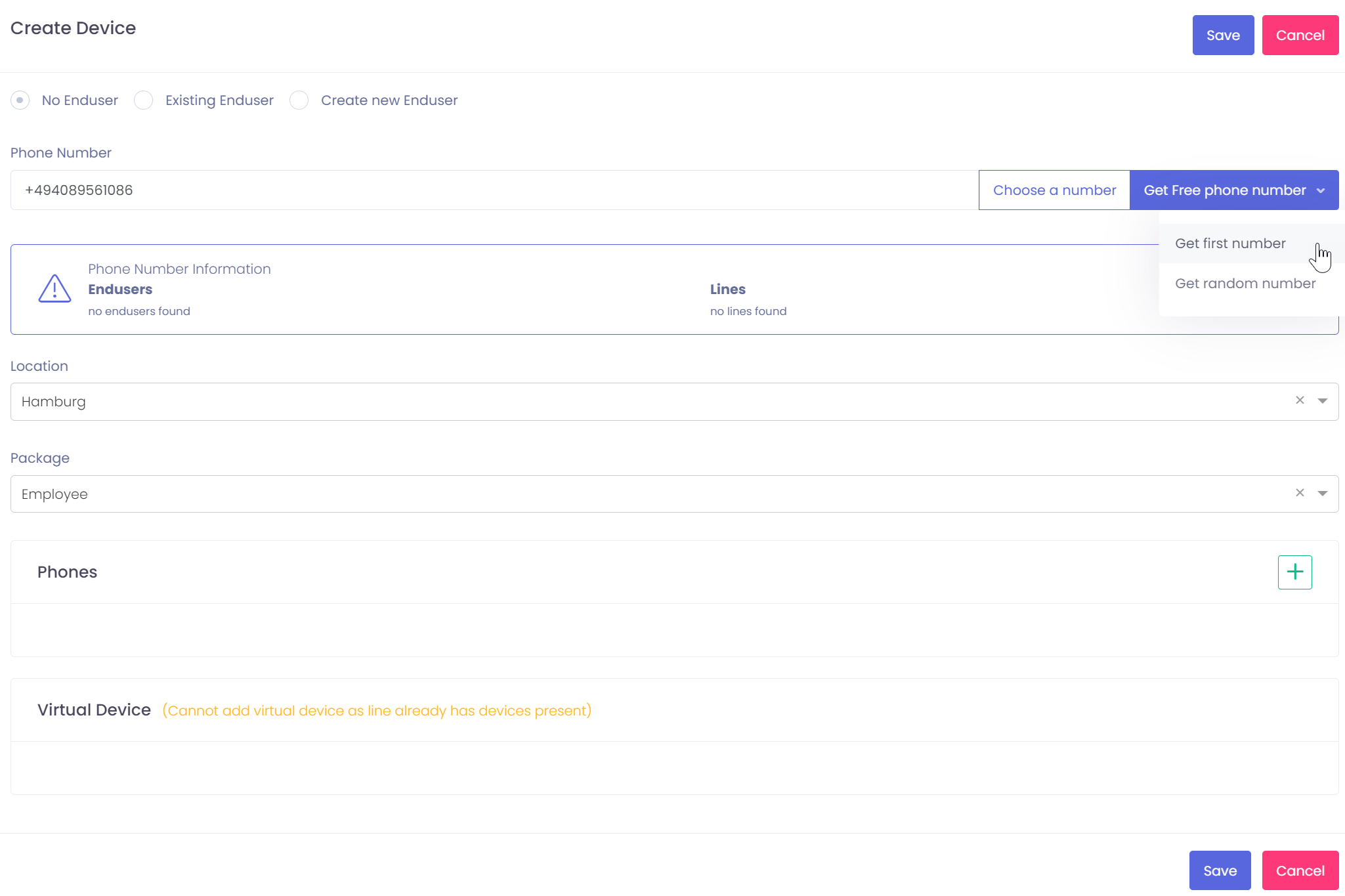
You can type in the number which should be used by your own, or you click on “Choose a number”. This option will open the numberplan where you can search in a table for a free number which you want to use.
Or you click on “Get free phone number” and select “Get first number” or “Get random number”.
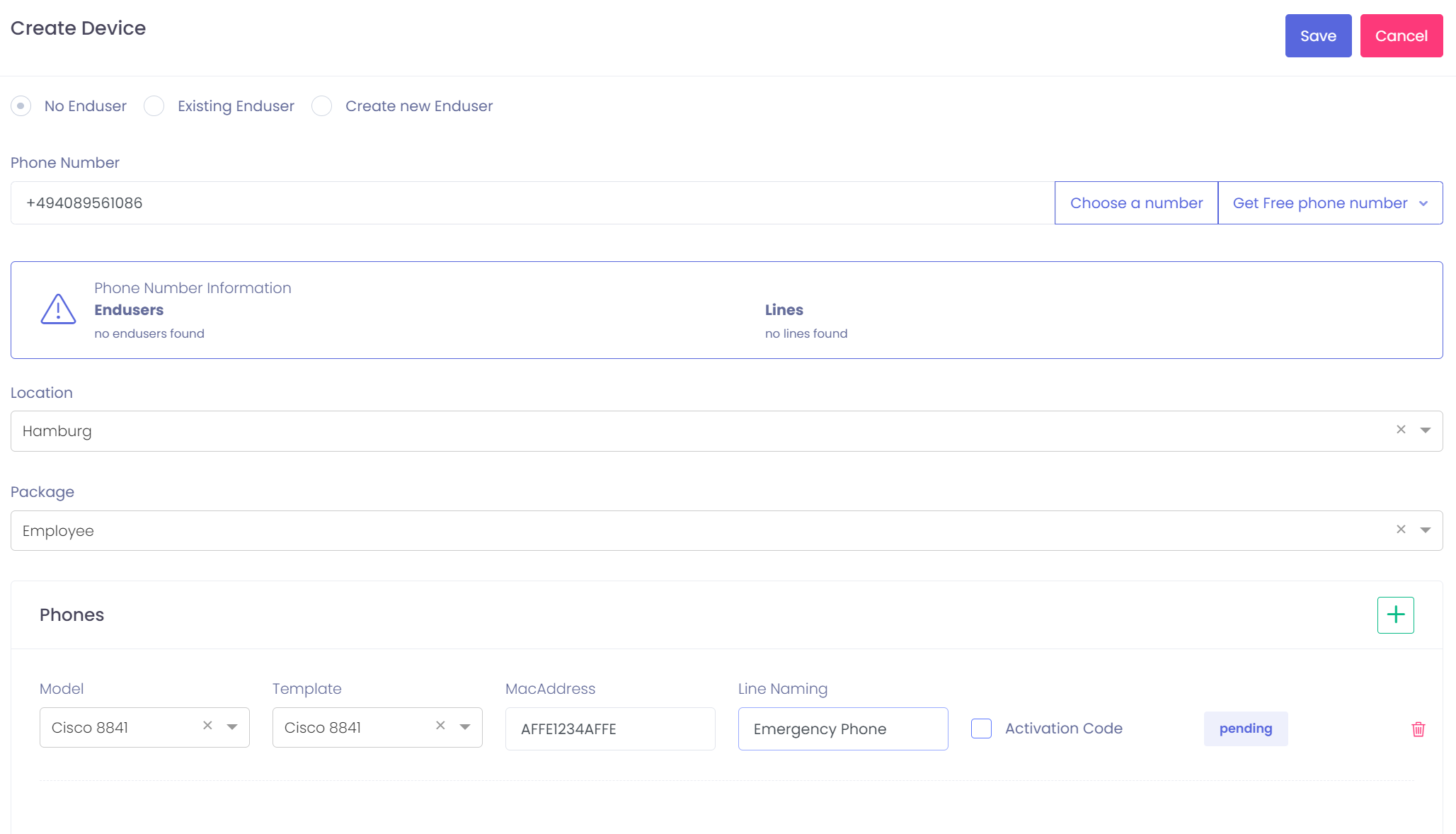
After getting the number click on the plus sign and select which phone type you want to add. type in MAC Address or add it as Activation code phone and press on save. The phone is now created.

