
HowTo change a telephone Number for a User
If you want to change a telephone number for an User, then open the User by Navigate to “Users”->”User” in the Menu and select the user where you want to change the number.
At the top you see the telephone number. Click on the three dots to see the options which you have for the number. To change the number click on “Update Pattern”

After clicking on “Update Pattern” you will get this:

Change the number like you want to and press save. Now the number will be changed on all devices.
If you choose a number which is already used in CUCM you will reveive this error:
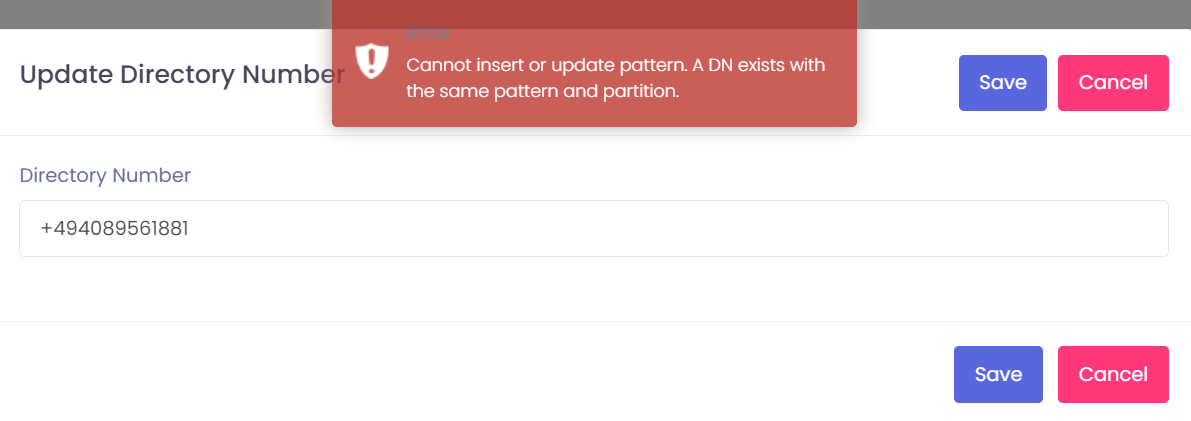
So even if you choose a number which is used already, it will not work. So you can not make anything wrong here.
HowTo change a telephone Number for a Device without an User
If you have an IP Phone which is not connected to any user, you need to navigate to the IP Phone. Just Navigate to “Devices”->”Phones” and search for the phone which you want to change.

Now do the same like you do it on the user which you see on the top of this page.

