
User Basics
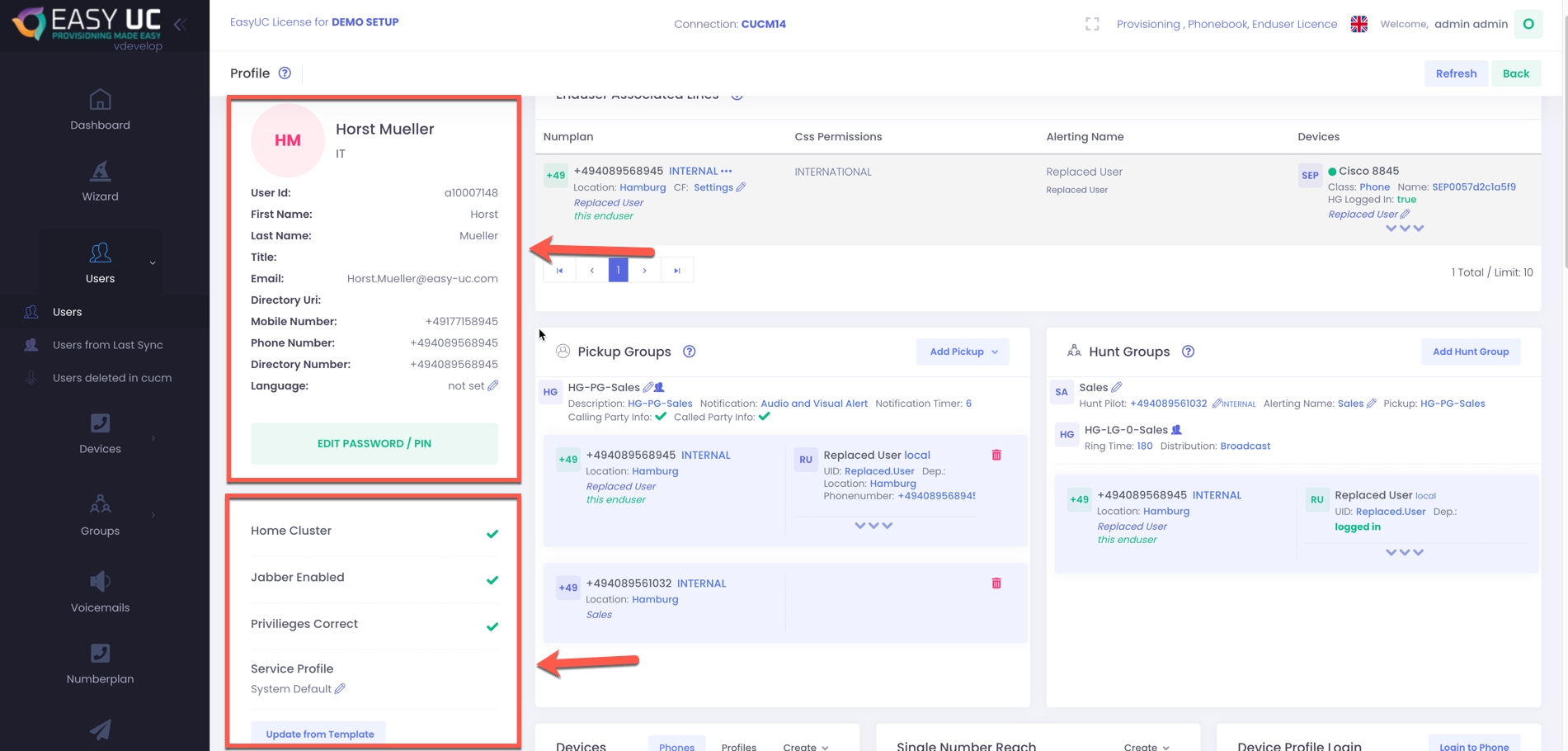
At first, what are the User Basics? When we talk about user basics, we mean the base informations like the value from telephone number field, the password and pin, Privileges, language and so on. You see it in this picture.
User Informations
In the User Informations you see the values which are coming from cucm. In most cases these are informations from ldap.
Whats important to know is this:
The Phone Number field ist the telephone number field in CUCM which is normally filled from ldap with telephonenumber or ipphone field.
The Directory Number field is really the configured number, so a directory number in CUCM. For a new user, there will be no value in this field until the user got an IP Phone or Softphone configured.
User Privileges / Permissions
In the second red marked field you see the information if in CUCM the Home Cluster checkbox was checked in CUCM for this user, if the “Enable User for Unified CM IM and Presence (Configure IM and Presence in the associated UC Service Profile)” is checked or not and if the privileges are set correct for this user. Correct for us means that the privileges are set like this:

If these roles are configured for the enduser, then the Green Arrow will be shown.
All these Informations are also includeds in our User Template which you should created when using EasyUC.
Also when creating a IP Phone or Softphone, the User Template will be used to make sure that all settings for the enduser are correct.

