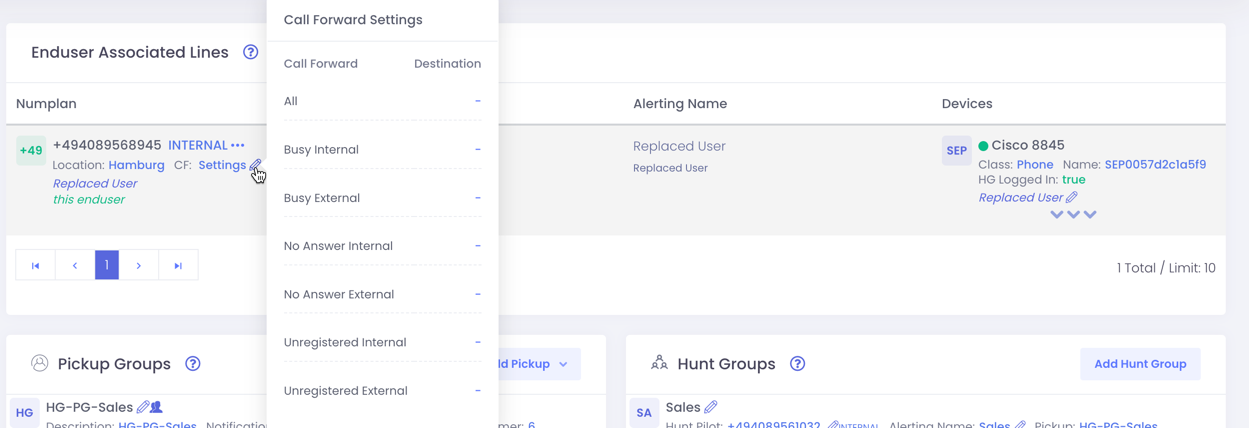
Directory Number Settings
Here we want to show you and explain you the Enduser Associated Lines section from the user site.

You see here all lines of the users, in which Partition the line is, in which EasyUC Location the Lines is, the CallForward Setting, the calling permission and also the three dots where you have additional options where you can make changes to the lines and the associated lines.
When clicking on the three dots you get three additional options.
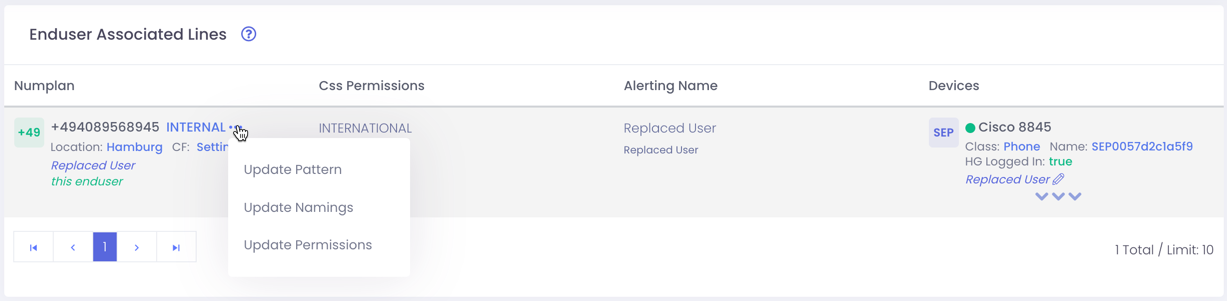
- Update Pattern
- When using this, change the number and also change the number of the voicemail box.
- Update Namings
- Change Names on all devices with one step.
- Update Permissions
- Change CSS to line
Also you can see the call forwarding settings for the selected line. When pressing on the pen, the call forwarding option will be opened and can be changed,