Configuring Sources and Phonebook
At first, you will need to create a new phonebook.

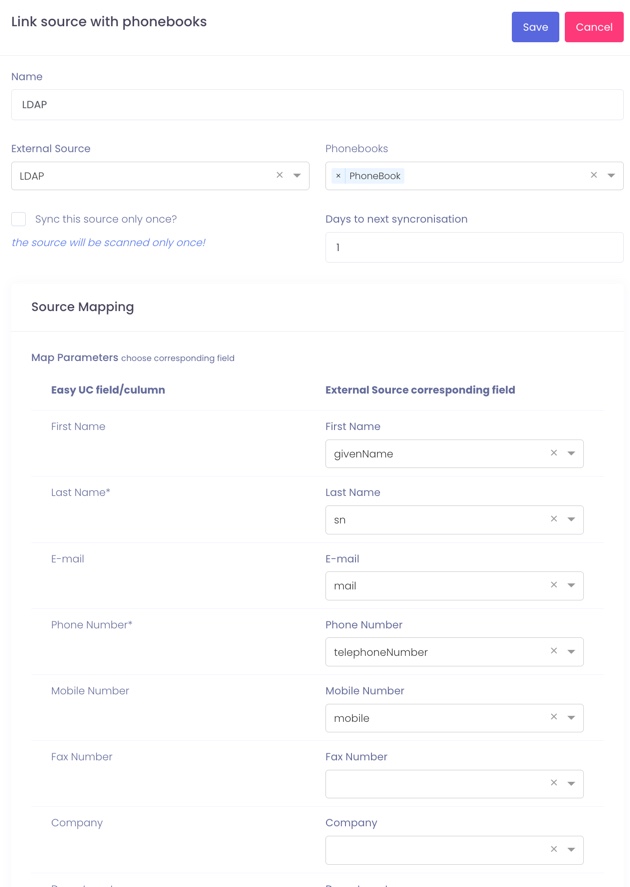
After creating the phonebook, you need to link the phonebook to the sources.
Start by adding your LDAP source.
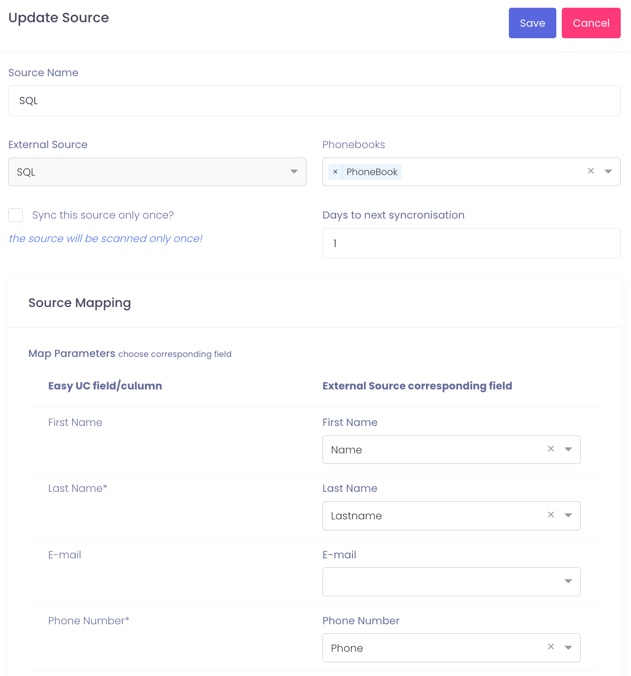
This next screenshot shows how to configure a SQL database as your alternative source.
After you’re done creating your sources, they need to be synced. On each source, click on Actions > Sync Now.

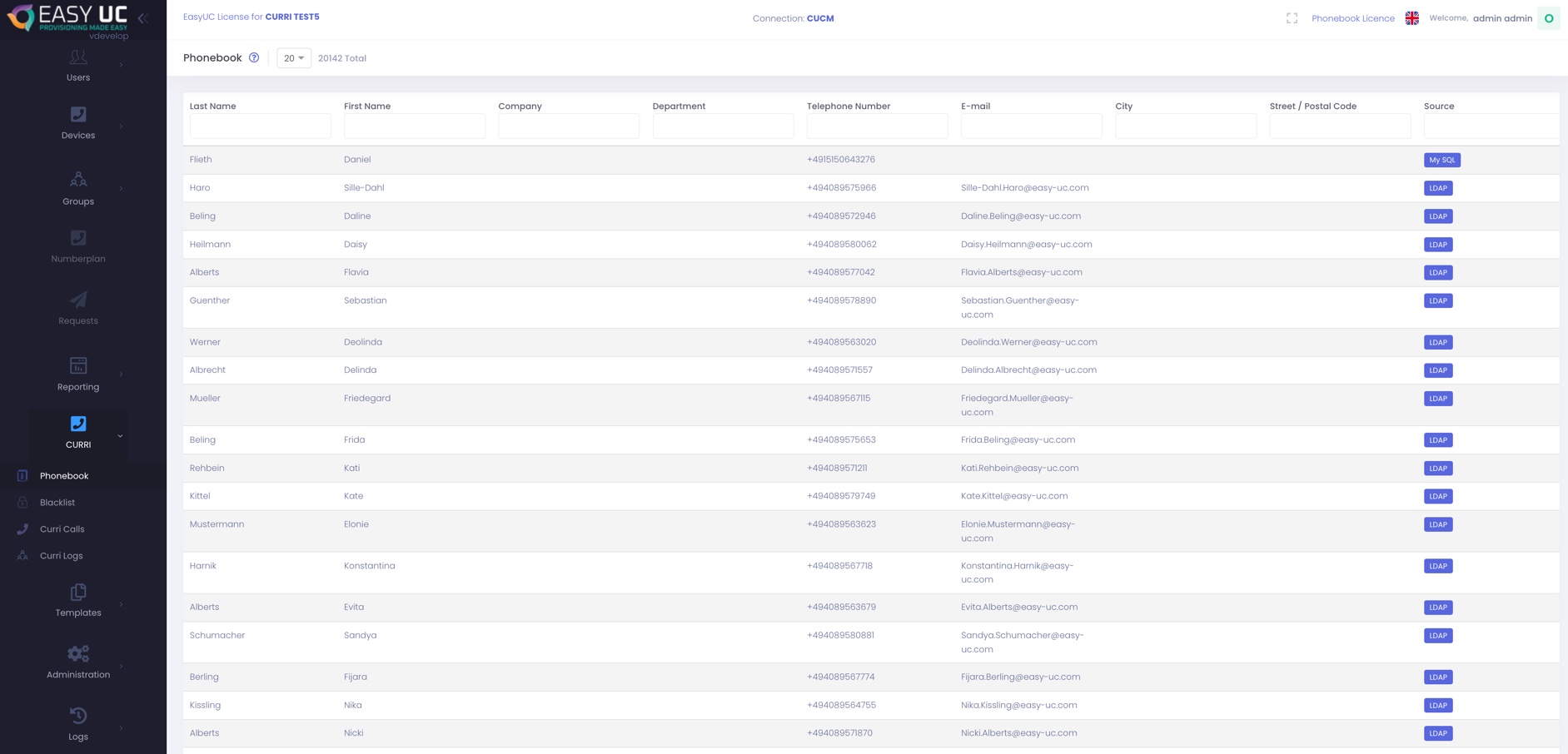
After the sync is finished it should look like this.

The phonebook is now succesfully created.