
Request Softphones
With EasyUC your enduers can request devices by there own. So if you dont know if your user use iphone or android, you just dont configure anything and let them request the device.
Login to enduser site to request a device:
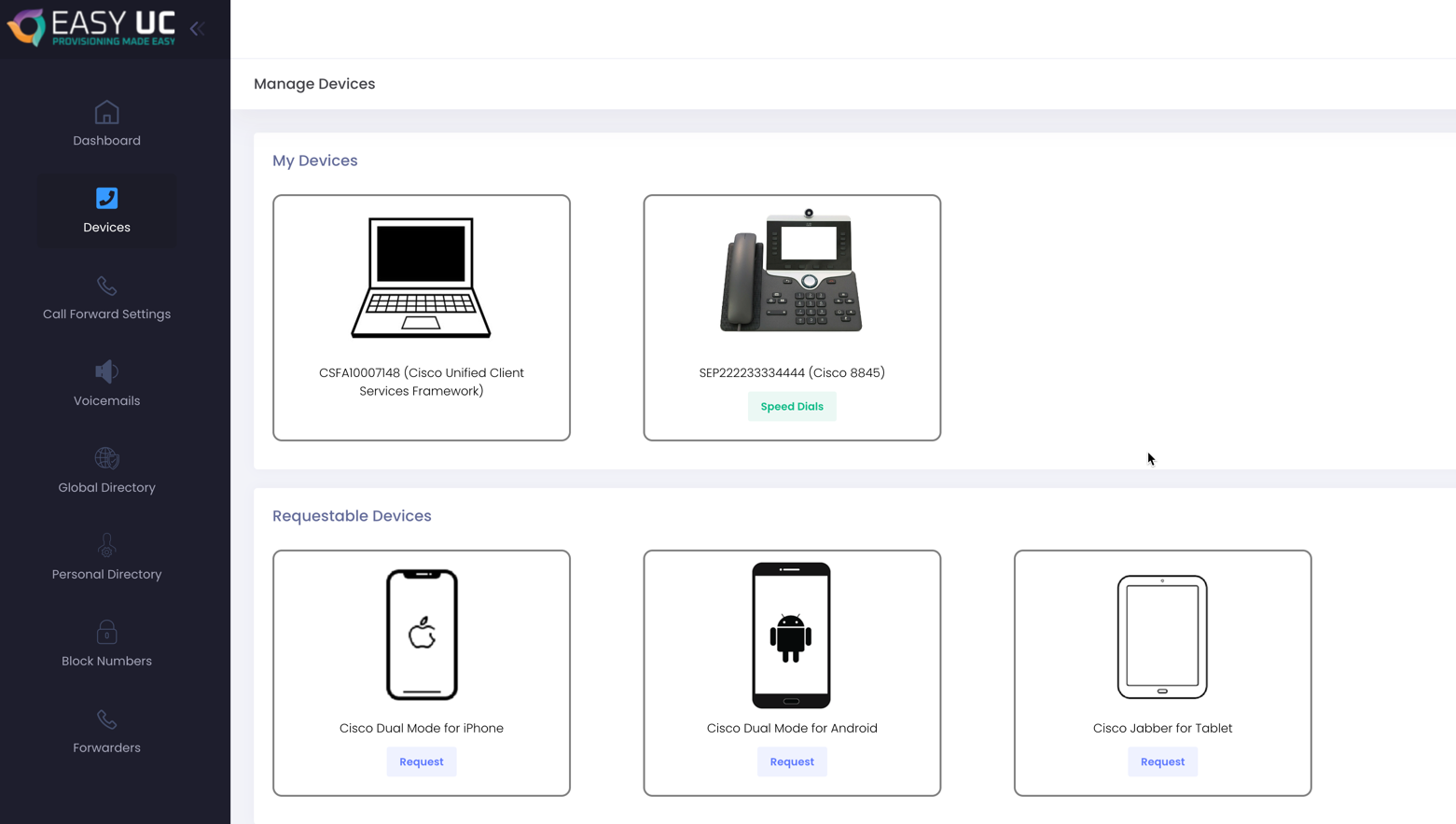
Click on “Request”

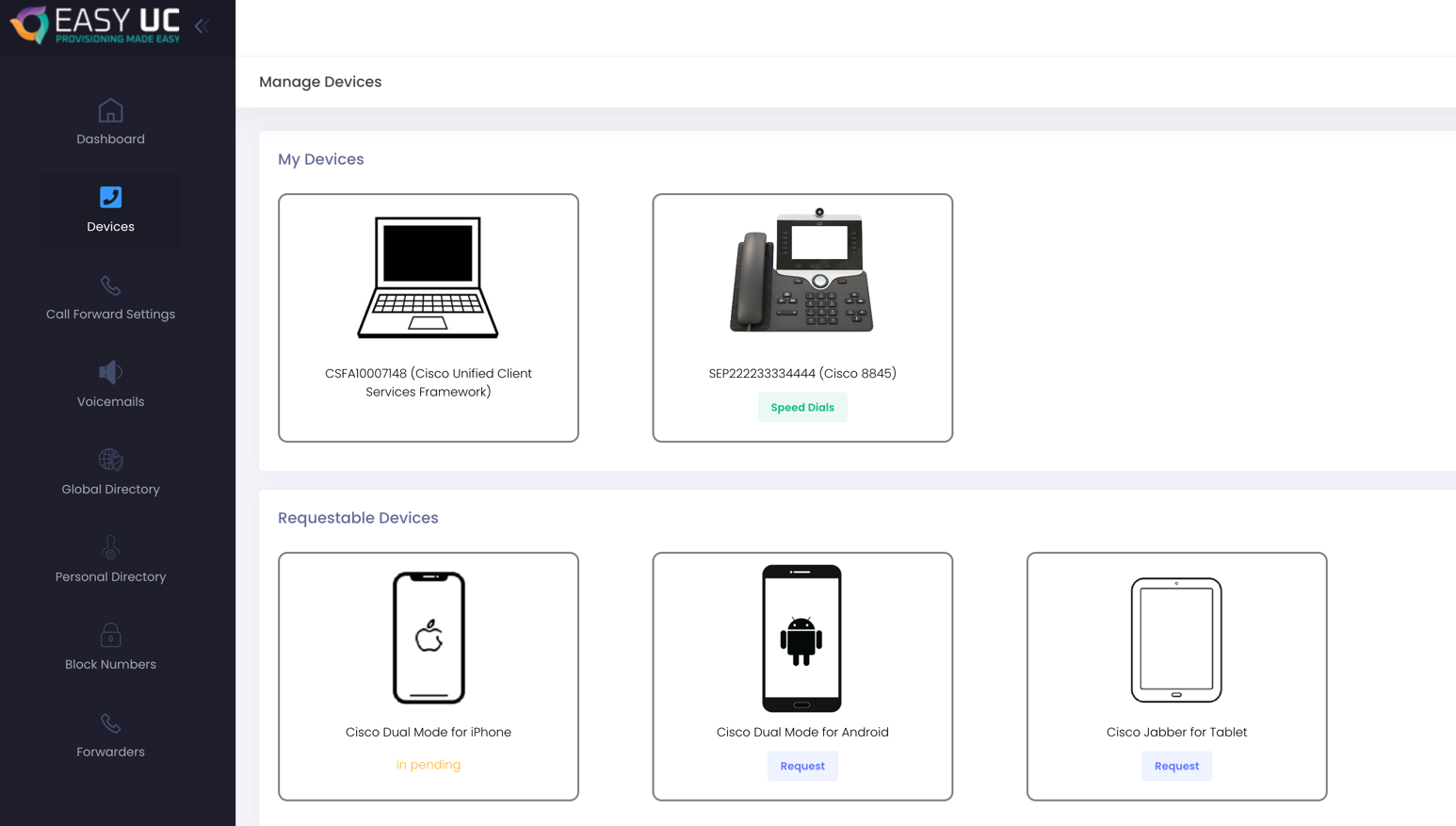
After click on Request, confirm with yes. Then it looks like this:
In EasyUC Admin area, the helpdesk user can see the request.

By click on “Accept” the softphone will be configured automatically.

