Add Single Number Reach
If you want to create a Remote Destination for an Enduser you can configure it with EasyUC. This Feature is only useable if you have an Enduser and its not possible to use if you only have an IP Phone without any User information.
Also with Cisco CUCM there are two types of configuration, Remote Destination Profile and Mobile Identity.
When do i need to use Remote Destination Profile and when Mobile Identity?
For this let us explain why Remote Destional Profiles could be a problem for some users.
Example 1
UserA has an one IP Phone and would like to have the option that also his mobile phone is ringing if his IP Phone gets a call. Then a Remote Destination will be configured.

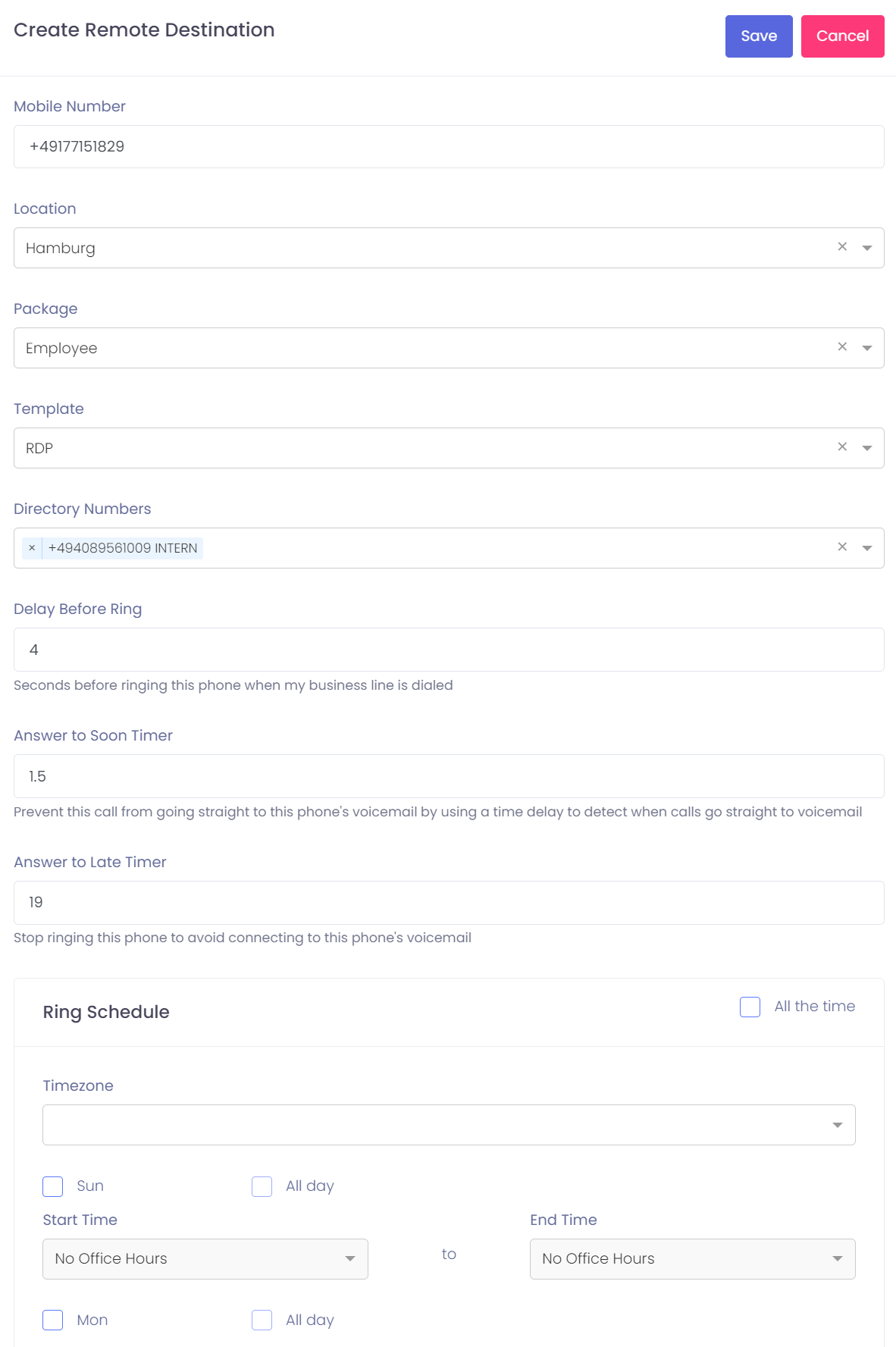
After clicking on “Create” -> ” Remote Destination” this will be shown. The mobile number will be prefilled if this number is known for the endusers mobile numbr field. If the number is not known you need to type it manually.
Also if you want to use another number, just delete the prefilled number and type in the number which should be used. After all Information are ok press save to create the remote destination.
Example 2
User A has an IP Phone and also an Jabber for iPhone. If the EasyUC user would now also create a remote destination for the user this will happen:
User A gets an incoming call on his company phone number. Now the IP Phone and also the Jabber for iPhone will present this call and the user can decide if he answers the call on his IP Phone or his Jabber on iPhone.
Also because there is a Remote Destionation configured, the iPhone will receive the call on the mobile phone. That means, on the iPhone of User A will be two calls, one on the iphoen itself, one from Jabber for iPhone.
To make this better usable for the user, cisco created a function which is known as mobile identity.
How does Mobile Identity work?
If you configure a mobile identity for User A then the CUCM will ring this mobile destination only if the Jabber for iPhone of User A is not registred to cucm. That means, if User A has an incoming call and User A has mobile identity configured, before the call will be send to the mobile number from User A, the CUCM check if the Jabber for iPhone from User A is registered to CUCM or not. If the Jabber for iPhone is registered then the call to the mobile phone will not started, if the device is unregistered the call will be send to the mobile number. The result of this configuration is that if you use mobile identity, the Enduser will only receive one call on his mobile phone and not two.
Configure Mobile Identity
The Enduser for which you want to configure mobile identity need an iphone or android Jabber configured.
If this is configured, EasyUC will show you that this type of config is recommended, but of course you could also use remote destination if you want to.
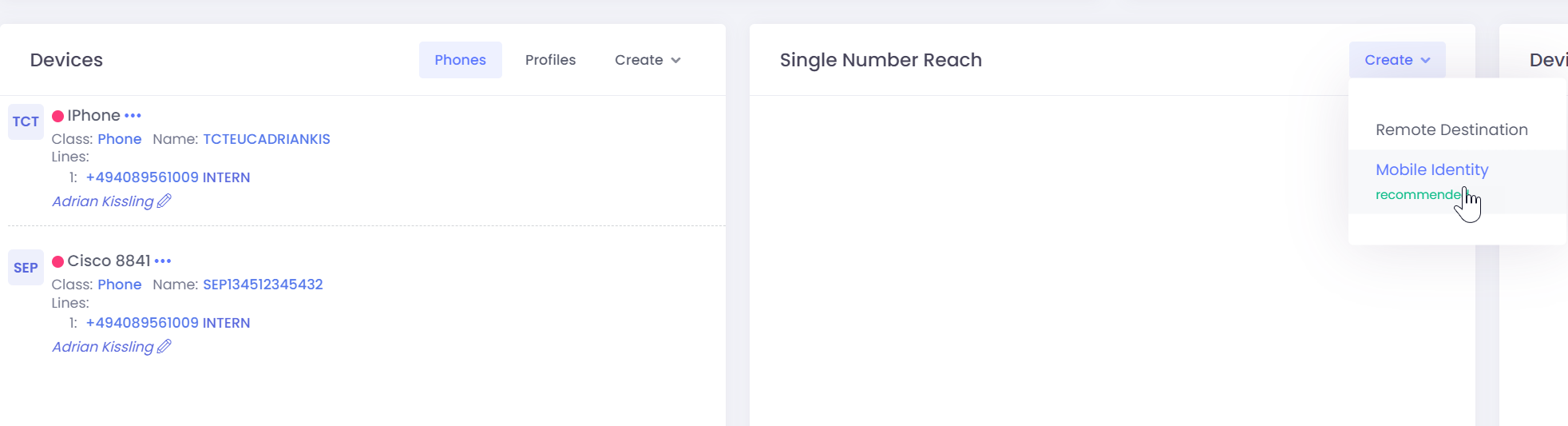
Click on “Create” – > “Mobile Identity”.
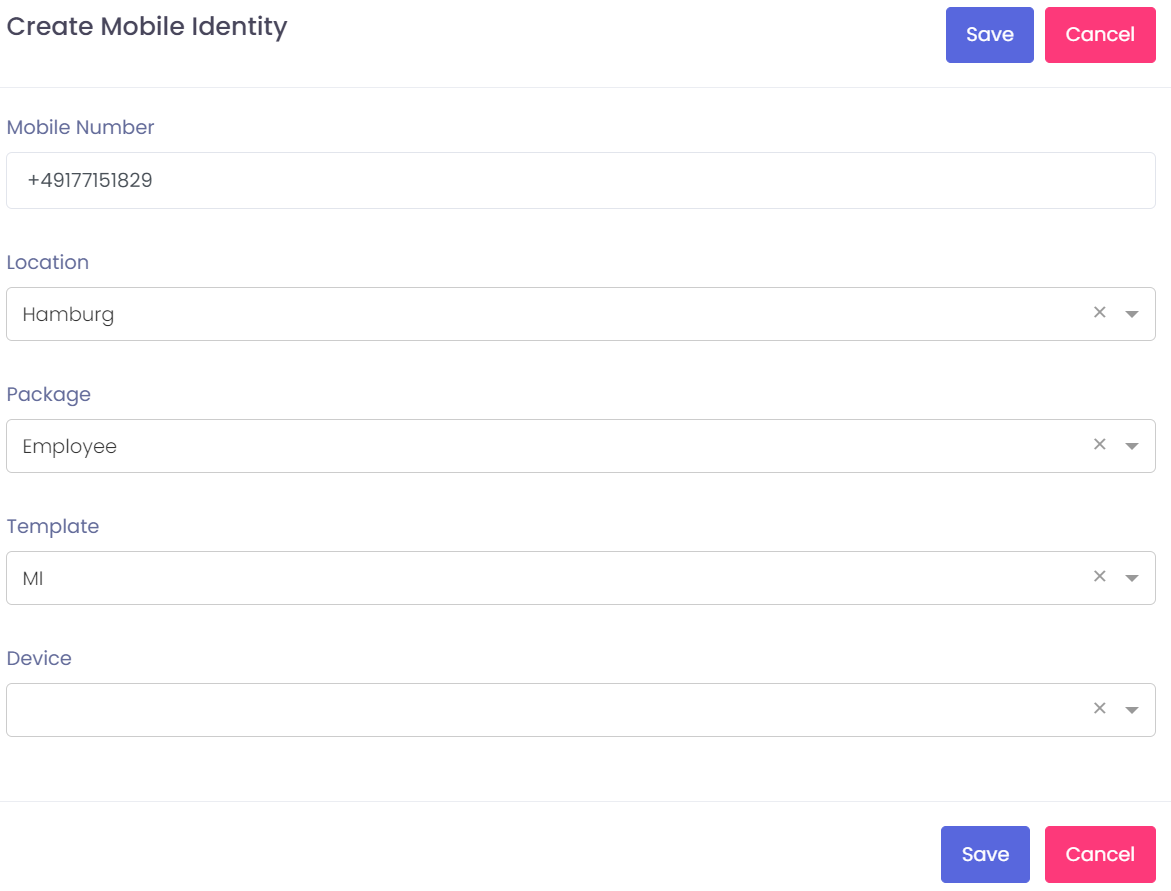
Choose the Device for which you want to create the mobile identity.
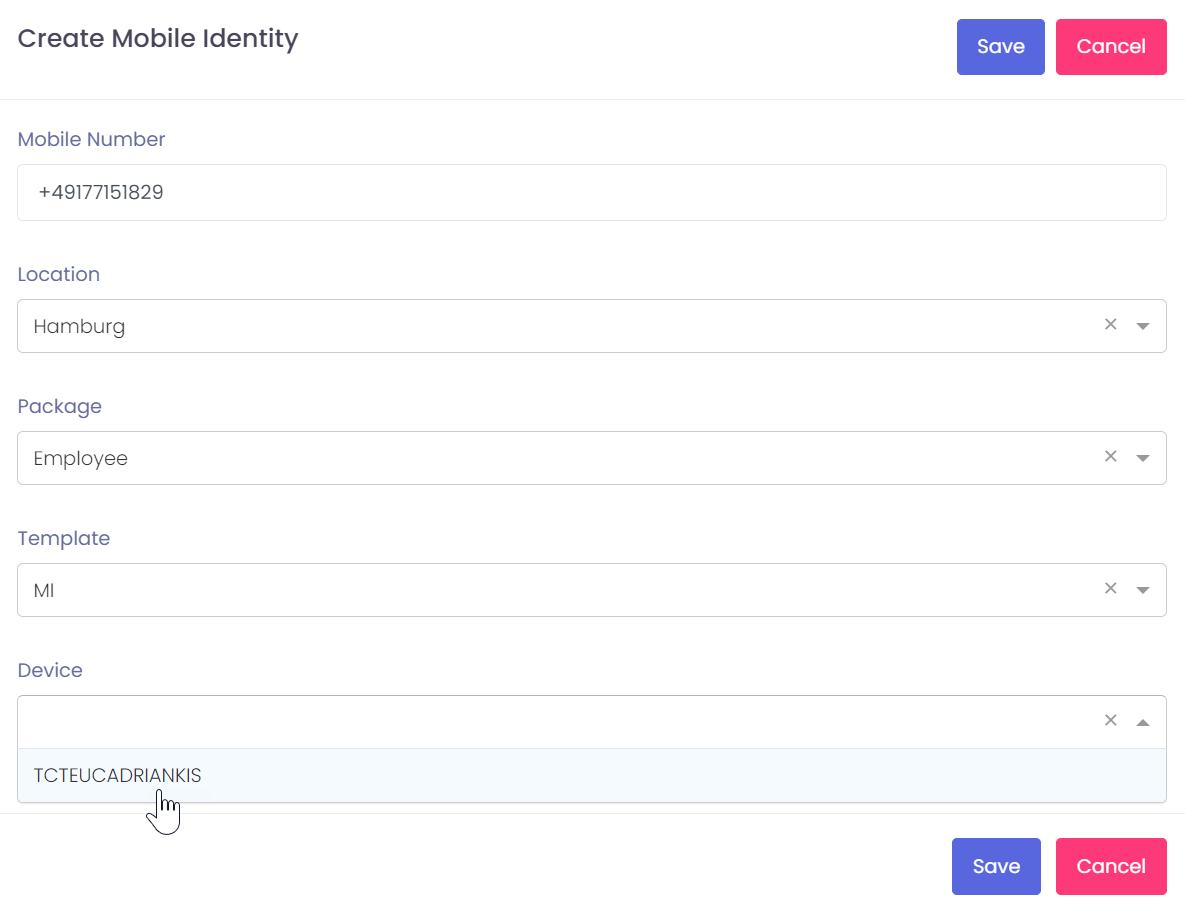
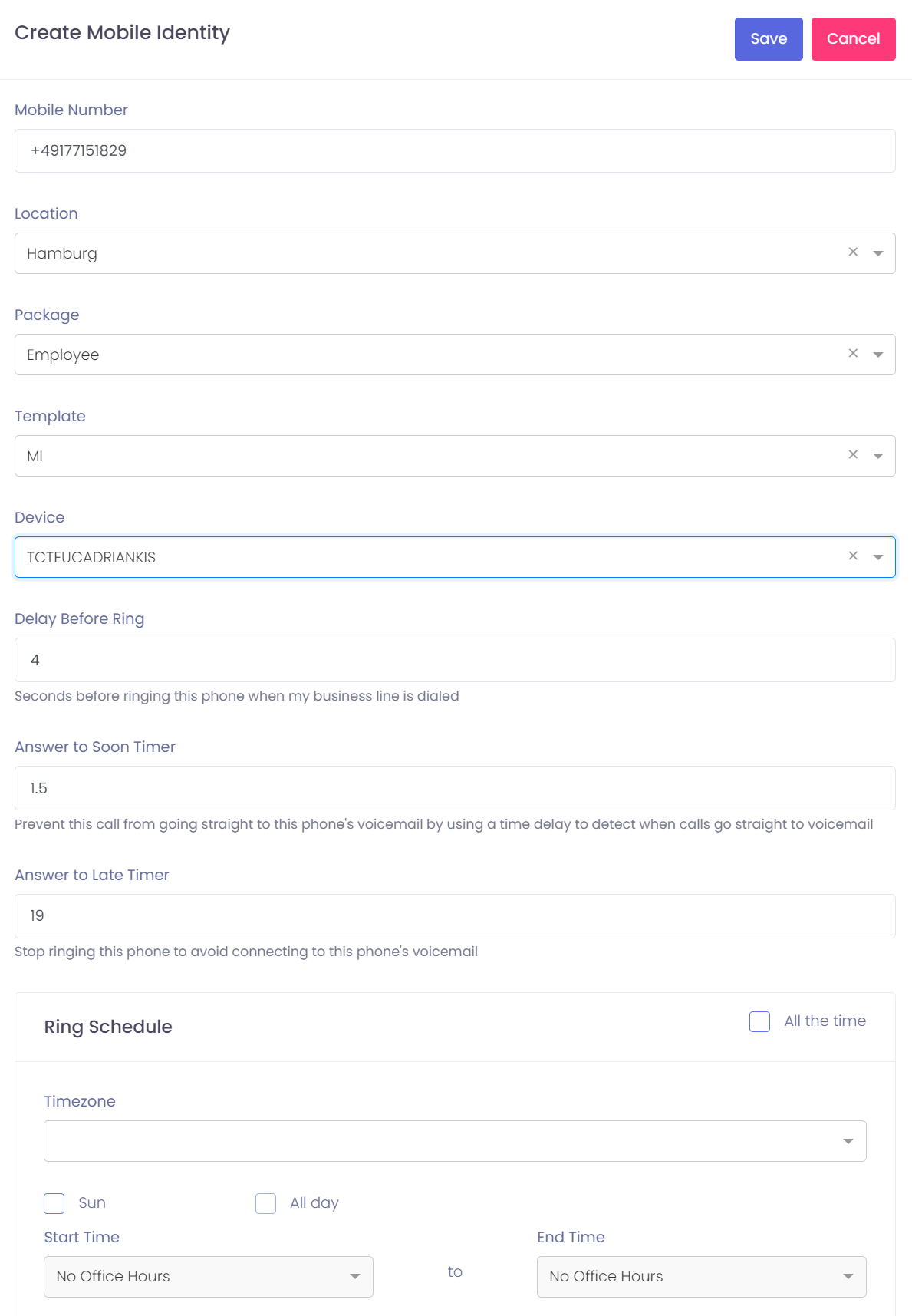
After this the same configration like with remote destination appears. Press save to create the mobile identity.