Change the Name on a Phone
When a user changes a part of the name or maybe want to get his titel as part of the name, then of course the easyuc user can change this name.
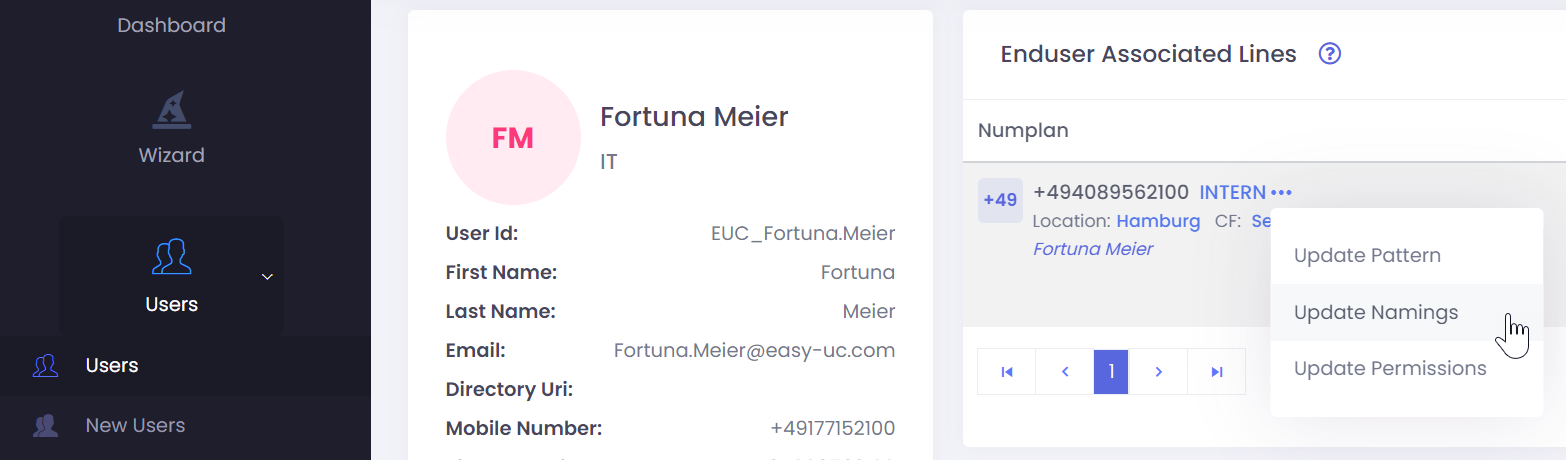
If you want to change the naming for an User, then open the User by Navigate to „Users“->“User“ in the Menu and select the user where you want to change the name.
At the top you see the telephone number. Click on the three dots to see the options which you have for the number. To change the nameing click on „Update Naming“