
Understand Locations in EasyUC
In EasyUC a Location is normally the physical location. That means, if your Cluster is located in New York and San Francisco, then in EasyUC you would create a Location New York and another Location San Francisco. In most cases the rule could be, for each Device Pool you have in your Cluster you need one Location.
Why we need Location?
The Location is needed because EasyUC need to know which User is in which location. And if you want to configure a phone for a User in Location A, then EasyUC need to know which Template need to be used to configure this.
So the Location is used to get a link between User and Templates.
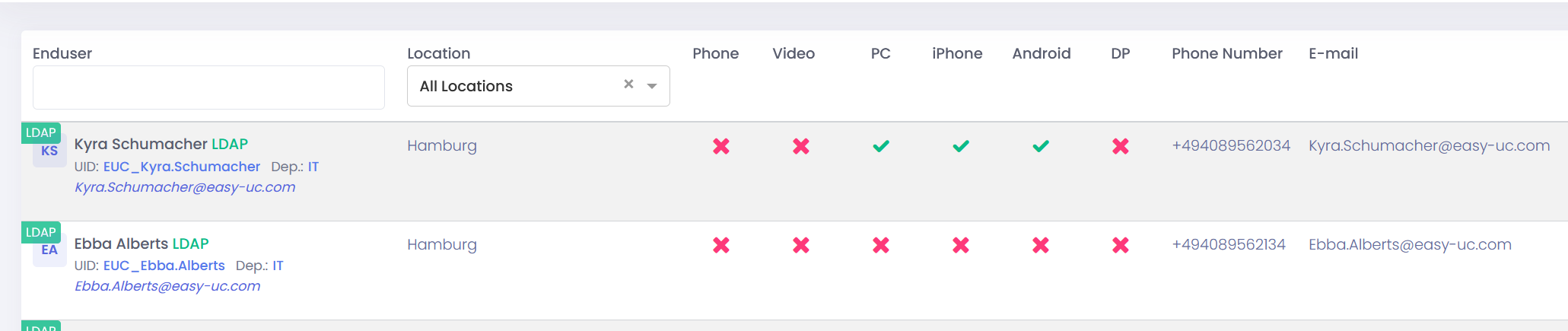
In this Screenshot you see that these two users are linked to Location “Hamburg”. That means, if we would like to create a 8841 phone for this User, then EasyUC know that the Template for the 8841 from Location Hamburg need to be selected.
How do EasyUC link Users and Locations?
There are two Options to configure a location. The most common is to make the linking based on the telephone number field of the Enduser.
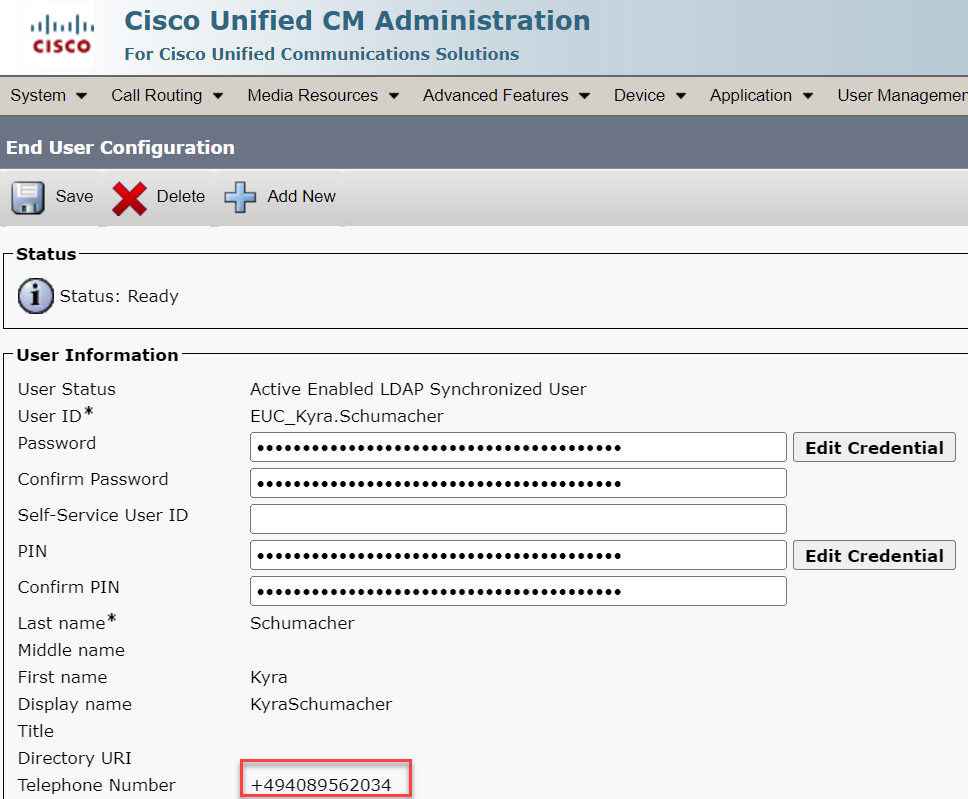
In this example, the location Hamburg is reachable via E164 Number Range +494089561000 to +494089562999
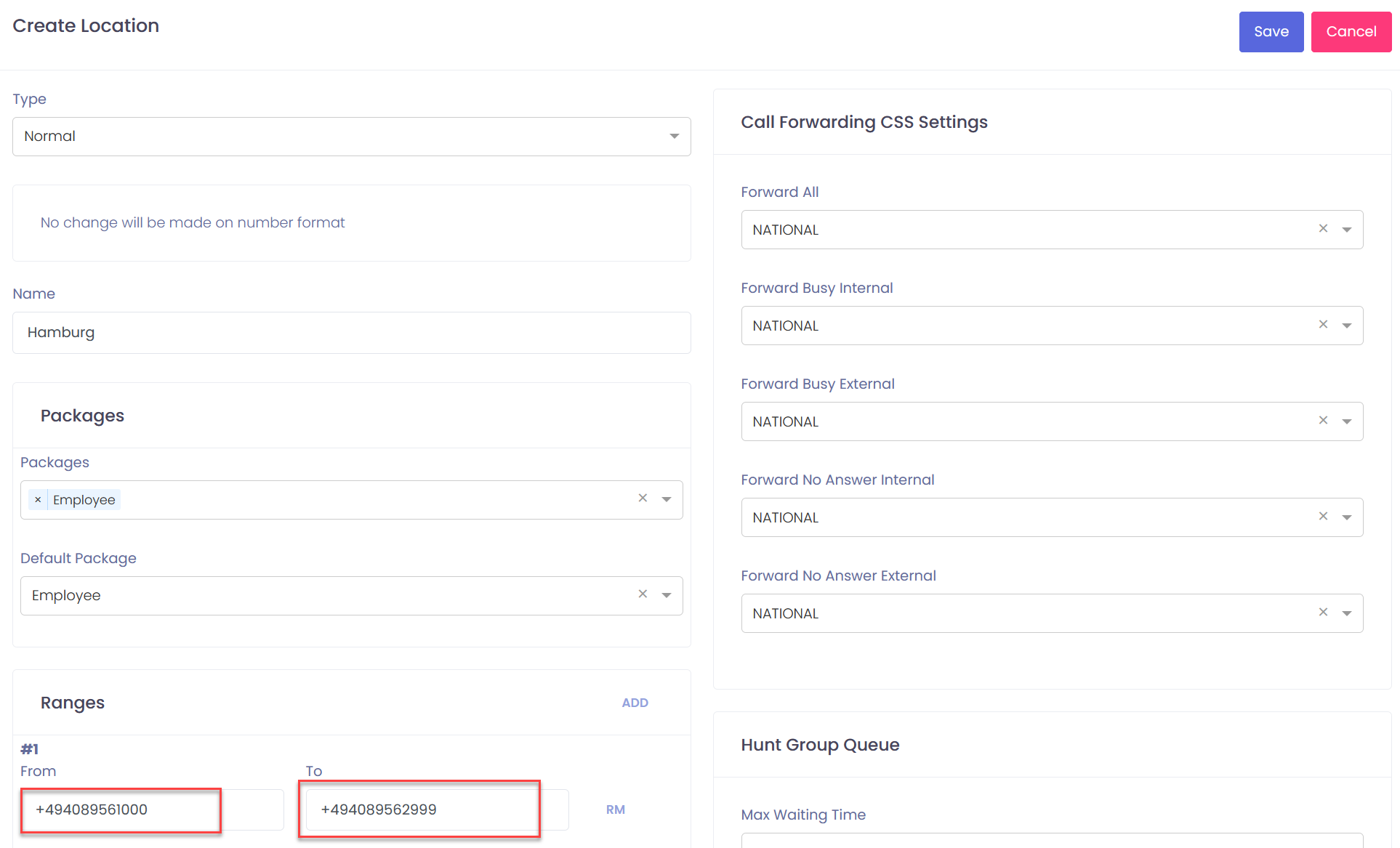
With this configuration EasyUC will link all Users which have a telephone number in this Range to the Location Hamburg.

