
Select User Based On CSV
With EasyUC you can create a CSV file to import a group of users to the Wizard user selection. It makes it easier for you to create configurations for a larger group of users.
Our example CSV Looks like this:
User ID , Location Name , Package Name , Phone Type , Template Name , Mac Address
a10012521 , Hamburg , Employee , Cisco 8845 , Cisco 8845 , 88899966F222
a10012522 , Hamburg , Employee , Cisco 8845 , Cisco 8845 , 888999F66222
a10012523 , Hamburg , Employee , Cisco 8845 , Cisco 8845 , 8889996F6222
a10012524 , Hamburg , Employee , Cisco 8845 , Cisco 8845 , 8889996D6222
a10012525 , Hamburg , Employee , Cisco 8845 , Cisco 8845 , 8889996C6222
a10012526 , Hamburg , Employee , Cisco 8845 , Cisco 8845 , 8889996B6222
a10012527 , Hamburg , Employee , Cisco 8845 , Cisco 8845 , 8889996AA222
a10012528 , Hamburg , Employee , Cisco 8845 , Cisco 8845 , 888999668222
a10012529 , Hamburg , Employee , Cisco 8845 , Cisco 8845 , 888999655222
a10012530 , Hamburg , Employee , Cisco 8845 , Cisco 8845 , 888999621222
a10012531 , Hamburg , Employee , Cisco 8845 , Cisco 8845 , 888999661222
a10012532 , Hamburg , Employee , Cisco 8845 , Cisco 8845 , 888999665222
a10012533 , Hamburg , Employee , Cisco 8845 , Cisco 8845 , 888999664222
a10012534 , Hamburg , Employee , Cisco 8845 , Cisco 8845 , 888999663222
a10012535 , Hamburg , Employee , Cisco 8845 , Cisco 8845 , 888999666212
Navigate to the wizard area.
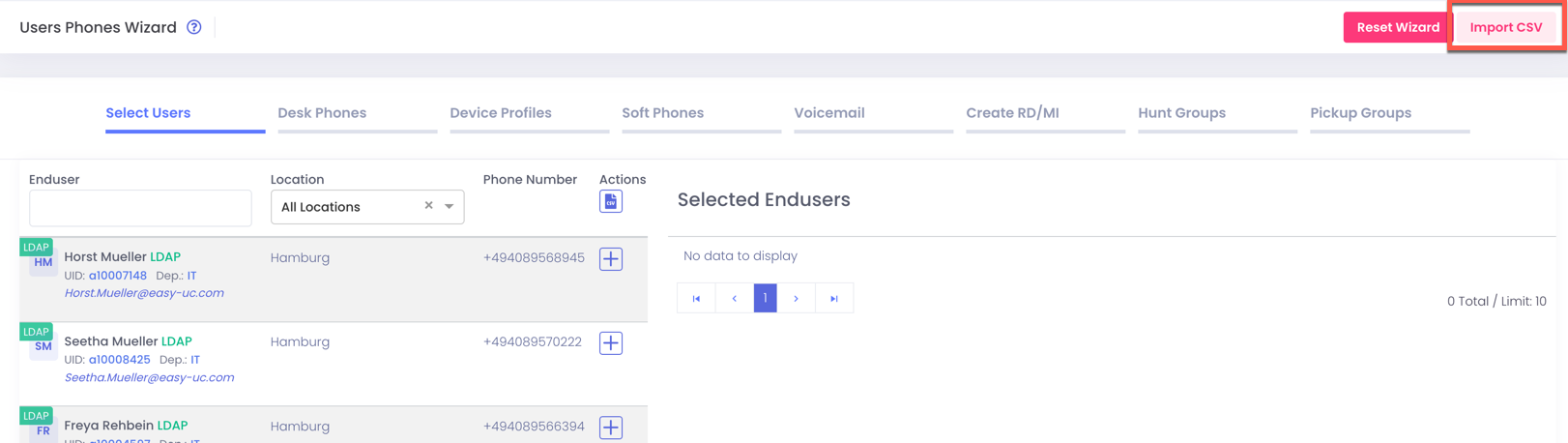
Click on Import CSV and search for the csv files which you created:

Click on Save and then you see that the Users from the CSV are now in the selected users area.

Now you can use the selected users and create desk phones, softphones and all other options.

